{{ post.title }}
{% if post.primary_author %}{{ post.primary_author.name }}
{% endif %} {{ post.html | safe }}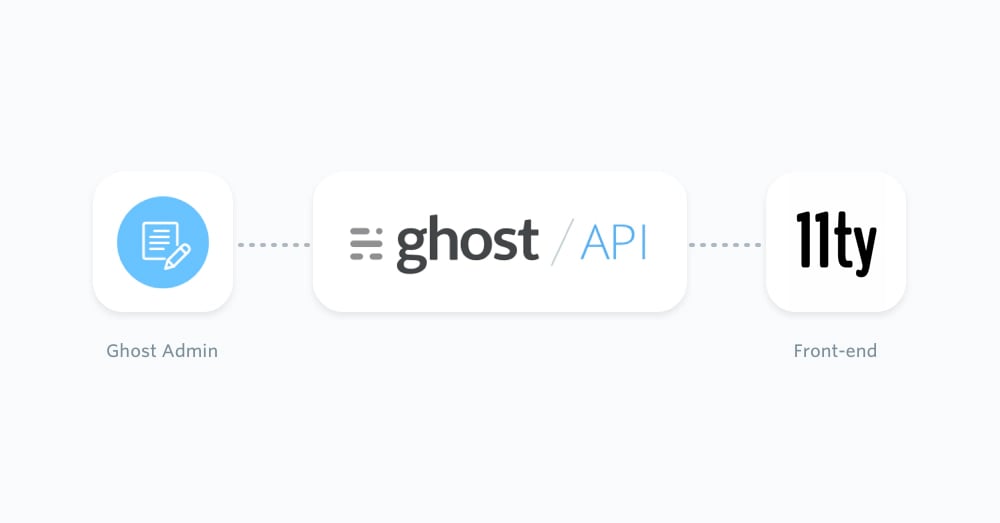 ## Eleventy and Ghost
Eleventy is a good fit for a lightweight Ghost front-end. Ghost remains the CMS: editors write posts, manage pages, upload images, and handle publishing in Ghost Admin. Eleventy reads that content from the [Content API](/content-api/) when the site builds.
For most Eleventy sites, use the official [JavaScript Content API client](/content-api/javascript/). It is maintained as part of the [TryGhost SDK](https://github.com/TryGhost/SDK) and works in Node.js during Eleventy builds.
Use the [Admin API](/admin-api/) only for private server-side scripts, such as imports or custom publishing tools. Do not put an Admin API key in client-side JavaScript.
## Prerequisites
This configuration requires basic knowledge of JavaScript and HTML templates. You will also need:
* A running Ghost site, either self-hosted or on [Ghost(Pro)](https://ghost.org/pricing/)
* A custom integration in Ghost Admin so you can copy the Content API URL and key
* An Eleventy project
Create the Content API key from **Settings -> Integrations** in Ghost Admin. For more detail, see [Content API authentication](/content-api/javascript/#authentication).
## Start from a new Eleventy site
If you already have an Eleventy site, skip to the Content API setup. Otherwise, create a small project and install Eleventy:
```bash theme={"dark"}
mkdir my-eleventy-site
cd my-eleventy-site
npm init -y
npm install @11ty/eleventy @tryghost/content-api dotenv
```
Eleventy documents the same project setup in the [official Eleventy docs](https://www.11ty.dev/docs/).
## Install the Ghost Content API client
If you started with an existing Eleventy site, install the Ghost Content API client:
```bash theme={"dark"}
npm install @tryghost/content-api dotenv
```
Add your Ghost credentials to environment variables. A local `.env` file is fine if your deployment platform loads it and you keep it out of source control.
```bash theme={"dark"}
GHOST_API_URL=https://demo.ghost.io
GHOST_CONTENT_API_KEY=22444f78447824223cefc48062
GHOST_API_VERSION=v6.0
```
For Ghost(Pro), the URL is usually your `.ghost.io` URL. For self-hosted Ghost, use the public URL for your Ghost install.
## Fetch Ghost content with a global data file
Eleventy global data files make API data available to every template. Create `_data/ghost.js`:
```js theme={"dark"}
// _data/ghost.js
require("dotenv").config();
const GhostContentAPI = require("@tryghost/content-api");
const api = new GhostContentAPI({
url: process.env.GHOST_API_URL,
key: process.env.GHOST_CONTENT_API_KEY,
version: process.env.GHOST_API_VERSION || "v6.0",
});
async function browseAll(resource, options = {}) {
const items = [];
let page = 1;
while (page) {
const response = await resource.browse({
...options,
limit: 100,
page,
});
items.push(...response);
page = response.meta.pagination.next || null;
}
return items;
}
module.exports = async function() {
const [posts, pages, tags, authors, settings] = await Promise.all([
browseAll(api.posts, { include: "tags,authors", order: "published_at DESC" }),
browseAll(api.pages, { include: "tags,authors" }),
browseAll(api.tags, { include: "count.posts" }),
browseAll(api.authors, { include: "count.posts" }),
api.settings.browse(),
]);
return {
posts,
pages,
tags,
authors,
settings,
};
};
```
Ghost 6.0 and later limit each browse request to 100 records, so static builds need pagination. The helper above follows the `meta.pagination.next` value until there are no more pages. See [pagination for building static sites](/jamstack/#pagination-for-building-static-sites) and [Content API pagination](/content-api/pagination) for the underlying API behavior.
## List posts on the home page
Create `index.njk` and read from the `ghost` data object:
```njk theme={"dark"}
---
title: Latest posts
---
## Eleventy and Ghost
Eleventy is a good fit for a lightweight Ghost front-end. Ghost remains the CMS: editors write posts, manage pages, upload images, and handle publishing in Ghost Admin. Eleventy reads that content from the [Content API](/content-api/) when the site builds.
For most Eleventy sites, use the official [JavaScript Content API client](/content-api/javascript/). It is maintained as part of the [TryGhost SDK](https://github.com/TryGhost/SDK) and works in Node.js during Eleventy builds.
Use the [Admin API](/admin-api/) only for private server-side scripts, such as imports or custom publishing tools. Do not put an Admin API key in client-side JavaScript.
## Prerequisites
This configuration requires basic knowledge of JavaScript and HTML templates. You will also need:
* A running Ghost site, either self-hosted or on [Ghost(Pro)](https://ghost.org/pricing/)
* A custom integration in Ghost Admin so you can copy the Content API URL and key
* An Eleventy project
Create the Content API key from **Settings -> Integrations** in Ghost Admin. For more detail, see [Content API authentication](/content-api/javascript/#authentication).
## Start from a new Eleventy site
If you already have an Eleventy site, skip to the Content API setup. Otherwise, create a small project and install Eleventy:
```bash theme={"dark"}
mkdir my-eleventy-site
cd my-eleventy-site
npm init -y
npm install @11ty/eleventy @tryghost/content-api dotenv
```
Eleventy documents the same project setup in the [official Eleventy docs](https://www.11ty.dev/docs/).
## Install the Ghost Content API client
If you started with an existing Eleventy site, install the Ghost Content API client:
```bash theme={"dark"}
npm install @tryghost/content-api dotenv
```
Add your Ghost credentials to environment variables. A local `.env` file is fine if your deployment platform loads it and you keep it out of source control.
```bash theme={"dark"}
GHOST_API_URL=https://demo.ghost.io
GHOST_CONTENT_API_KEY=22444f78447824223cefc48062
GHOST_API_VERSION=v6.0
```
For Ghost(Pro), the URL is usually your `.ghost.io` URL. For self-hosted Ghost, use the public URL for your Ghost install.
## Fetch Ghost content with a global data file
Eleventy global data files make API data available to every template. Create `_data/ghost.js`:
```js theme={"dark"}
// _data/ghost.js
require("dotenv").config();
const GhostContentAPI = require("@tryghost/content-api");
const api = new GhostContentAPI({
url: process.env.GHOST_API_URL,
key: process.env.GHOST_CONTENT_API_KEY,
version: process.env.GHOST_API_VERSION || "v6.0",
});
async function browseAll(resource, options = {}) {
const items = [];
let page = 1;
while (page) {
const response = await resource.browse({
...options,
limit: 100,
page,
});
items.push(...response);
page = response.meta.pagination.next || null;
}
return items;
}
module.exports = async function() {
const [posts, pages, tags, authors, settings] = await Promise.all([
browseAll(api.posts, { include: "tags,authors", order: "published_at DESC" }),
browseAll(api.pages, { include: "tags,authors" }),
browseAll(api.tags, { include: "count.posts" }),
browseAll(api.authors, { include: "count.posts" }),
api.settings.browse(),
]);
return {
posts,
pages,
tags,
authors,
settings,
};
};
```
Ghost 6.0 and later limit each browse request to 100 records, so static builds need pagination. The helper above follows the `meta.pagination.next` value until there are no more pages. See [pagination for building static sites](/jamstack/#pagination-for-building-static-sites) and [Content API pagination](/content-api/pagination) for the underlying API behavior.
## List posts on the home page
Create `index.njk` and read from the `ghost` data object:
```njk theme={"dark"}
---
title: Latest posts
---
{{ post.primary_author.name }}
{% endif %} {{ post.html | safe }}This draft was created through the Admin API.
", status: "draft", }, { source: "html" } ); ``` Run Admin API scripts on your own machine, in CI, or on a server. Never ship `GHOST_ADMIN_API_KEY` to the browser. ## Next steps Read the [Content API JavaScript client](/content-api/javascript/) docs for available endpoints and options. Eleventy's [global data files](https://www.11ty.dev/docs/data-global/) and [pagination](https://www.11ty.dev/docs/pagination/) docs explain how API data becomes static pages.